
Connect your banks with SimpleFIN, read-only
No budgeting app? SimpleFIN Bridge lets Fintective read your banks directly. Here's what it costs, how to connect, and what Fintective can and can't do.
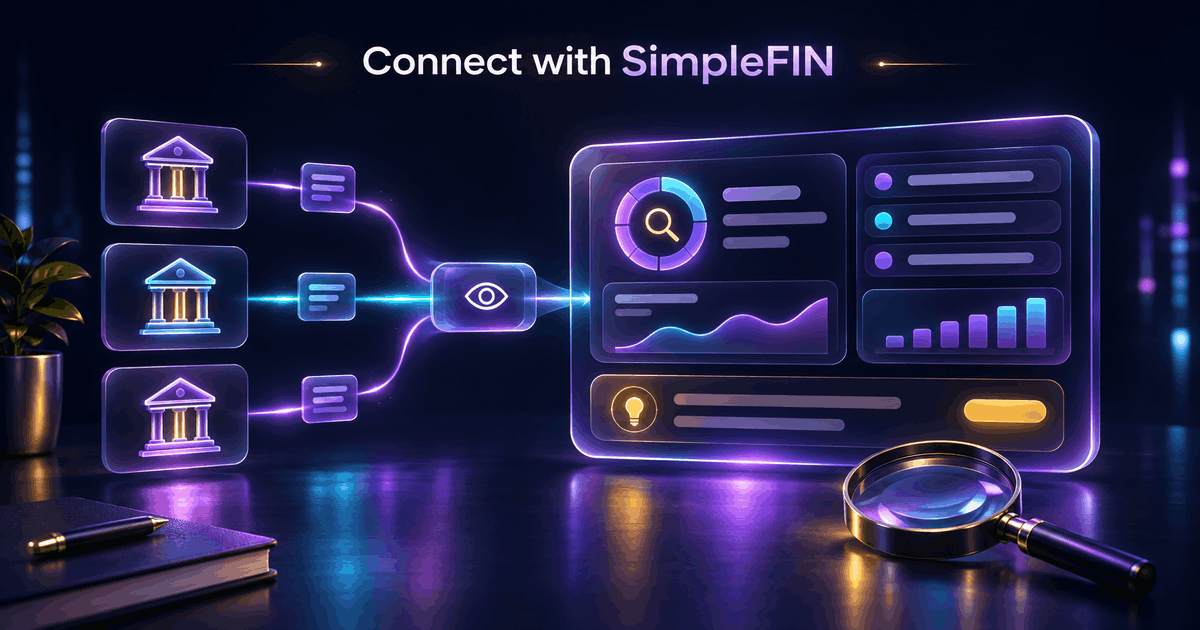
Not everyone budgets in an app. Plenty of people just want something watching their accounts for duplicate charges, new merchants, spikes, and subscriptions that keep getting more expensive. SimpleFIN Bridge is one way to give Fintective that read-only view straight from your banks.
What SimpleFIN Bridge is
SimpleFIN Bridge is a separate service you sign up for. It sits between your financial institutions and tools like Fintective. You subscribe to SimpleFIN directly: it costs $1.50 per month or $15 per year for up to 25 institutions, and you pay SimpleFIN, not Fintective.
Once your institutions are connected inside SimpleFIN Bridge, it gives you a one-time token. You paste that token into Fintective, and that's the handoff.
How to connect
1. Sign up with SimpleFIN Bridge and connect your institutions there. 2. Get the one-time token SimpleFIN Bridge provides. 3. In Fintective, choose SimpleFIN as your source and paste the token. 4. Fintective stores the resulting access URL, encrypted at rest, and runs the first sync.
The first sync covers 90 days of history, so the Detectors have something to compare against from the start. After that, Fintective syncs about every 12 hours. The SimpleFIN integration page has the same steps in short form.
What Fintective reads
Through SimpleFIN, Fintective reads your accounts and their balances, your transactions, and the last digits of your account numbers. That's what the Detectors need to do their work. It does not have the ability to move money or change anything at your bank: the connection is read-only.
What stays in your control
Fintective never sees your bank passwords. The credential Fintective holds is the SimpleFIN access URL, and it's encrypted at rest with AES-256-GCM.
Only the account owner can connect or disconnect a source. If you disconnect, Fintective deletes the stored credential and keeps the imported history, unless you choose "Disconnect and delete data", which asks for a typed confirmation. Deleting your Fintective account deletes everything.
SimpleFIN Bridge is a third-party service with its own terms, so it's worth reading them as well. You can see how Fintective handles the rest on the security page.
Lead detective mode: Fintective owns the categories
When you connect banks directly, there's no budgeting app to supply categories. So in this mode Fintective owns them.
You start from a default catalog and can create, edit, and archive categories to fit how you think about money. There's an uncategorised workflow, a place to work through transactions that still need a category, so nothing gets lost.
You can also rename accounts. A bare account number like "8762" can become "Flycard Isracard", which is far easier to scan. You can include or exclude accounts and individual transactions, too. Your edits survive every later sync, so you don't redo the work when new data arrives. More on that in Name your accounts, own your categories.
Other currencies
If an account holds transactions in another currency, Fintective converts them into your currency at that day's market rate and keeps the original currency and the rate so you can see both. The details are in Spending in another currency, converted for you.
What you pay, and who you pay
Two bills are involved, and they don't overlap. SimpleFIN charges for the bridge: $1.50 per month or $15 per year, for up to 25 institutions. Fintective charges for Fintective, on the plan you choose (see pricing). The SimpleFIN fee is paid to SimpleFIN.
Because Fintective is free during beta, the only cost you'd pay today for a direct bank connection is SimpleFIN's own fee. Fintective will notify you before billing begins, and the free trial is 32 days.
Questions people ask
Can Fintective move money? No. The connection is read-only.
What if I want to stop? Disconnect the source in Fintective, and cancel your SimpleFIN subscription with SimpleFIN. They're separate steps because they're separate services.
Can I connect SimpleFIN and a budgeting app at the same time? No. You use one kind of source at a time, on every plan: a budgeting app or one direct bank connection.
How fresh is the data? About every 12 hours, so findings arrive within half a day of the transaction posting, not instantly.
SimpleFIN or something else?
SimpleFIN suits you if you don't use a budgeting app and you'd like Fintective to read your banks for you. If you already budget in YNAB or Lunch Money, you probably don't need it: connect your budgeting app instead and keep working the way you do now.
If you have Israeli banks and cards, Moneyman may fit better. If you're a developer with your own data, there's the webhook. You use one kind of source at a time, on every plan.
Practical next step
Count how many institutions you'd want covered and compare that to SimpleFIN's 25-institution limit. Then check that the banks you use are supported by SimpleFIN Bridge before you subscribe, since availability is up to SimpleFIN.
When you're set, start the investigation and choose SimpleFIN.
Connect once, then let it watch
The point of a read-only connection is that you set it up once and then stop thinking about it. The Detectors check your history for duplicate charges, new merchants, spending spikes, and subscription creep, depending on the available historic data, and tell you when something deserves a look. See every source on the integrations page.
Fintective is a third-party tool and is not affiliated with, endorsed by, or officially connected to SimpleFIN, YNAB, You Need A Budget, Lunch Money, Moneyman, or Plaid. This article is for information only and is not financial, tax, or legal advice.
Bring a second pair of eyes to your money.
Keep your budgeting app (YNAB, Lunch Money) or connect your banks directly. Fintective is read-only and watches for duplicate charges, subscription creep, and unusual spending.
Start the Investigation