
Lead detective
Send your own data: the Fintective webhook.
If you can produce a list of transactions, Fintective can investigate it. Post them to your private endpoint with your key and Fintective does the rest.
What it is
A webhook for developers. You POST a JSON list of transactions to a private Fintective endpoint, authenticated with a key that only you hold.
Who it's for
Developers and tinkerers with their own data pipeline, such as a script, an export, or an automation, who want Fintective's Detectors on top of it.
How to connect
- Step 1
Sign up and open Settings
Go to Settings, then Connectors, then Lead detective.
- Step 2
Create a webhook connection
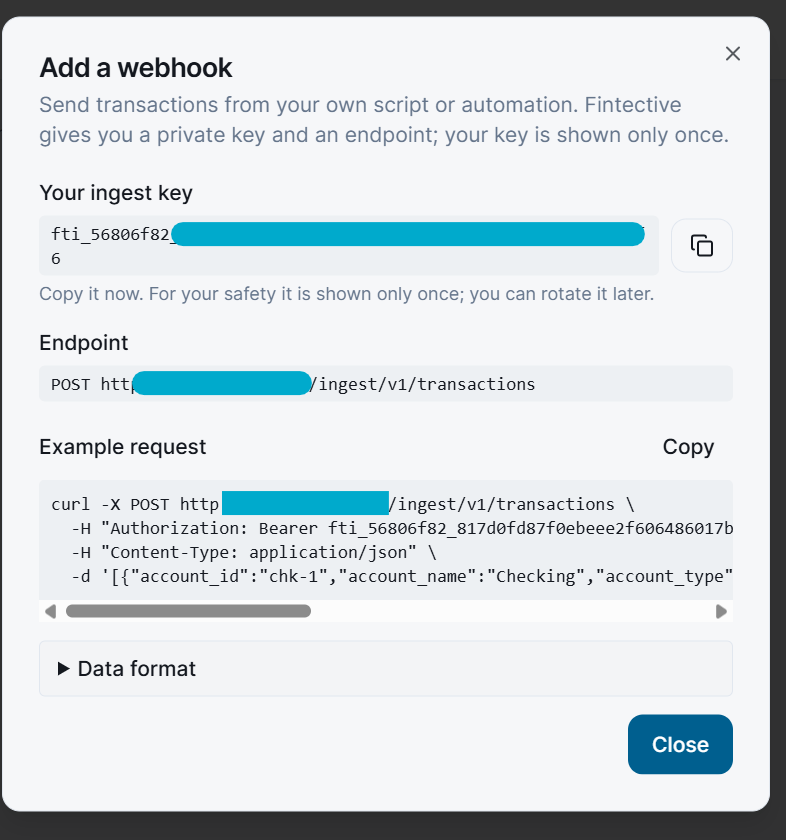
Fintective shows your key once. Store it somewhere safe.
- Step 3
POST your transactions
Send a JSON list, up to 500 per request. The dialog in the app includes a ready-made curl example.
- Step 4
Review what Fintective finds
The Detectors run on what you send.
What Fintective reads
- Only what you send
- Each item names its account, currency, amount, payee, description or memo, category group, and category
- Up to 500 transactions per request
- Endpoint: POST https://api.fintective.ai/ingest/v1/transactions
What you control
- You decide what to send and when
- You can rotate the key at any time
- Each connection shows when and from which IP address its key was last used
- Disconnecting deletes the stored credential and keeps the imported history, unless you choose "Disconnect and delete data"
Security
- The key is stored only as a one-way hash, shown once, and rotatable.
- Only the account owner can connect or disconnect a source.
- You are responsible for the accuracy of the data you send and for your right to share it.